






Find Your Member Number
Our enhanced Online and Mobile Banking dashboards allow you to quickly locate your member number.

Find your Member Number in Online Banking and the Mobile App
We’ve made it easy for you to locate your Member Number once you are logged into Online Banking or the Mobile App.

Find it Within Online Banking
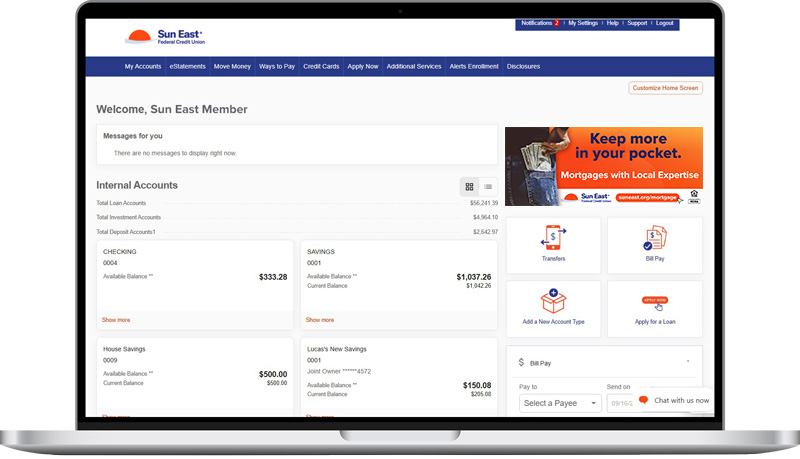
Step 2
Towards the top center, click the blue Account Details button.
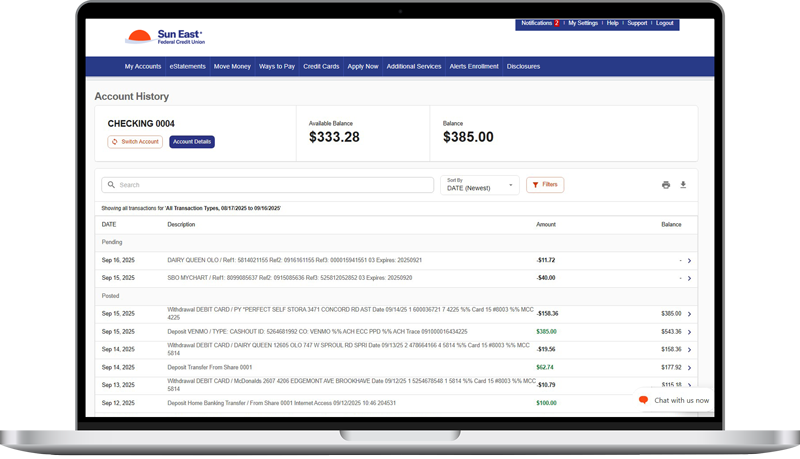
Step 3
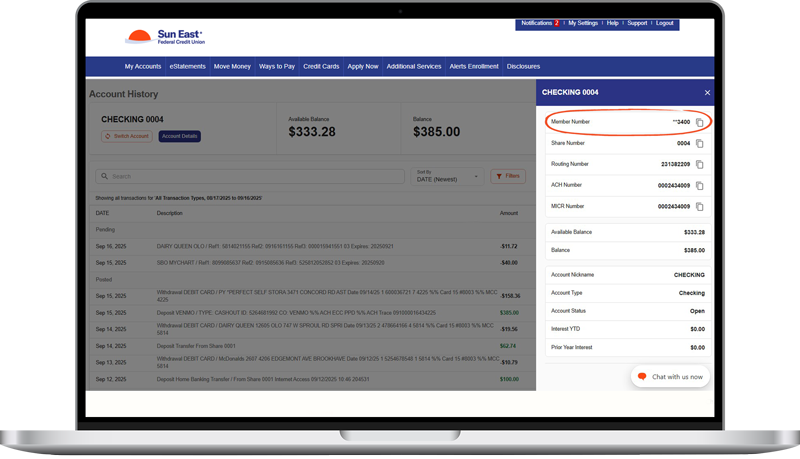
Once clicked, Account Details will pop out a box on the right-hand side of your screen that features your Member Number, Share Number, Routing Number, ACH Number, and MICR Number along with your balance details.
All of these numbers are able to be copied by clicking the paper icon to the right of the number.
The Member Number is masked and is only fully visible if you copy and paste it into another document (such as an email or text document).
Find it in the Mobile App
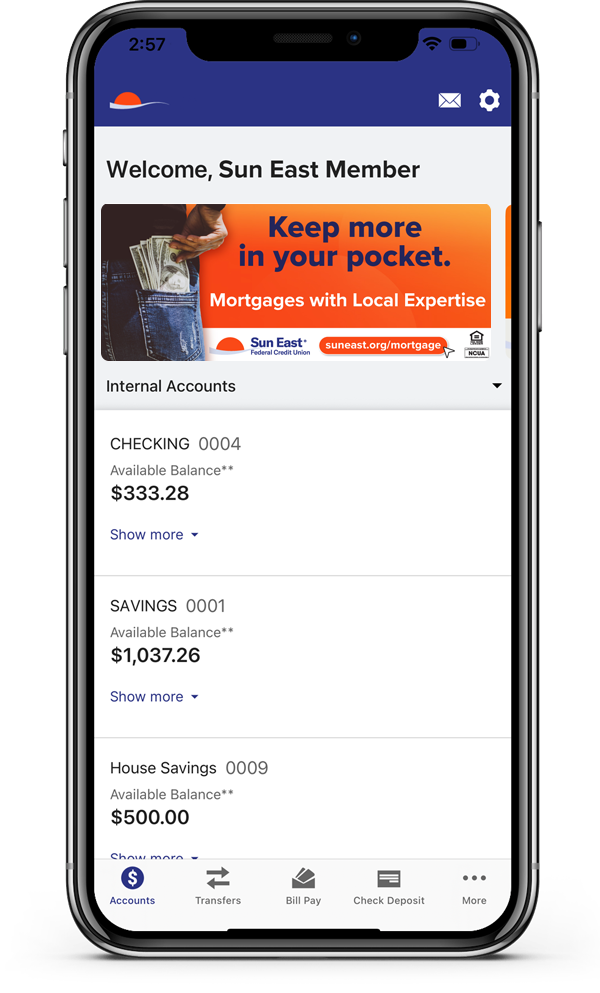
Step 1
Sign into the Sun East App. Download it from the App Store or Google Play
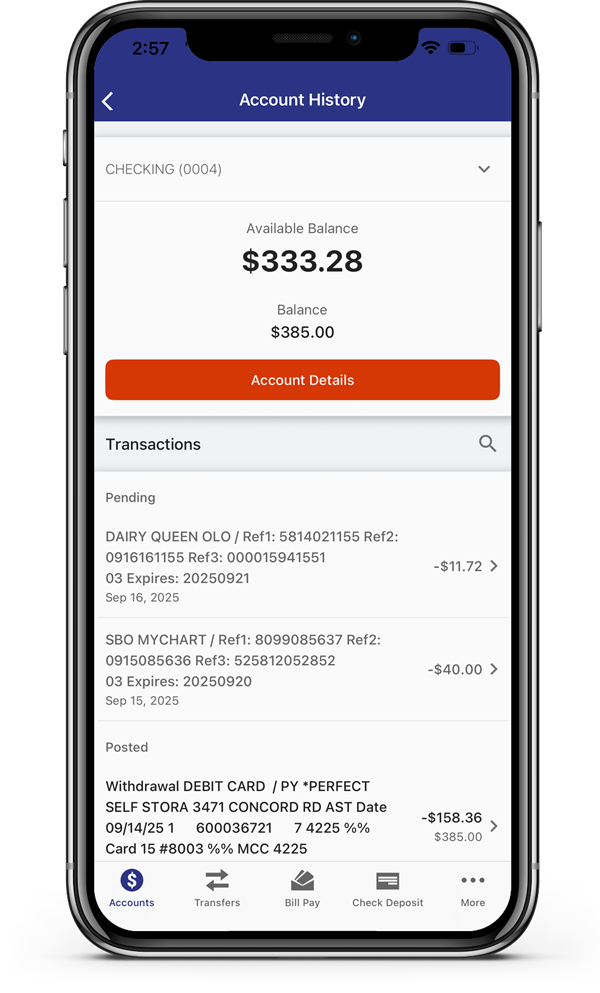
Click on any of your accounts.
Step 2
Towards the top center, click the orange Account Details button.
Step 3
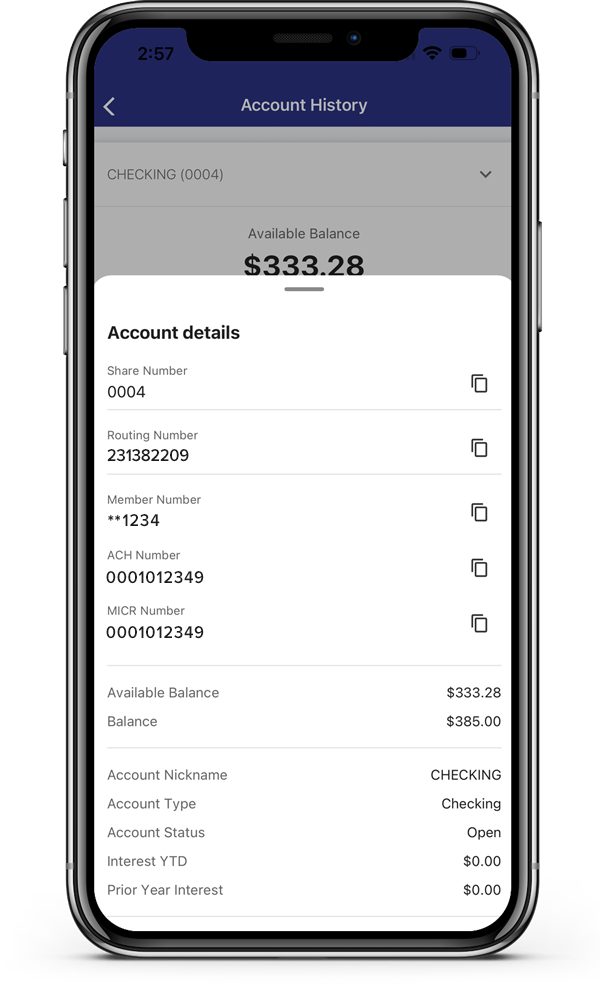
Once clicked, Account Details will pop up a box that features your Member Number, Share Number, Routing Number, ACH Number, and MICR Number along with your balance details.
All of these numbers are able to be copied by clicking the paper icon to the right of the number.
The Member Number is masked and is only fully visible if you copy and paste it into another document (such as an email or notes).
Disclaimer
Third party linked websites are not under the control of Sun East Federal Credit Union. We are not responsible for their content. Third party website privacy and security policies may differ from ours. If you choose to engage in a transaction with a third party, please note that we do not represent either you or the third party in that transaction.